Google Reviews Tap Tag Setup Guide

Program your NFC review tag in 5 minutes. Step-by-step instructions for iPhone and Android.

What You'll Need

💡 Pro Tip: If you order a pre-programmed CAN-TAP kit, we program the tag for you. Just send us your Google review link and your kit arrives ready to use. Order pre-programmed →

Step 1: Find Your Google Review Link

STEP 1

Get your direct review URL from Google

  1. Go to business.google.com and sign in
  2. Select your business location
  3. In the left menu, click "Home"
  4. Find the "Get more reviews" card
  5. Click "Share review form"
  6. Copy the link — it looks like: https://g.page/r/CxxxxxxxxEBE/review

Alternative method: Search your business name on Google. Click your business listing → click "Reviews" → look for the "Write a review" button. Copy that URL from your browser's address bar.

Step 2: Shorten Your Link (Optional)

STEP 2

Create a clean URL for the NFC tag

If your review URL is long, shorten it using a free service. This ensures a clean NFC write and leaves room on the chip for future changes.

Step 3: Install NFC Tools

STEP 3

Download the free NFC Tools app

Open the app. You'll see tabs: Read, Write, and Other.

Step 4: Write the URL to Your Tag

STEP 4

Program the NFC tag with your review link

  1. Open NFC Tools and tap the "Write" tab
  2. Tap "Add a record"
  3. Select "URL / URI"
  4. Paste your Google review link from Step 1
  5. Tap "OK" to save the record
  6. Tap "Write" at the top
  7. Hold your phone directly on the NFC tag (top of iPhone, centre-back of most Android phones)
  8. Wait for the success confirmation — usually less than 1 second
📱 iPhone users: Hold the top edge of your iPhone against the tag. The NFC reader is in the top of the phone, near the front camera. Keep it steady for 1-2 seconds.

Step 5: Test Your Tag

STEP 5

Make sure it works before placing it

  1. Lock your phone (press the power button)
  2. Tap the top of your phone on the NFC tag
  3. A notification should appear — tap it
  4. Your Google review page should open in the browser
  5. You should see the star rating and review box

Test with a different phone too — try both iPhone and Android if possible to confirm compatibility.

Step 6: Place Your Tag

STEP 6

Position for maximum reviews

Place your tag where customers naturally pause and have their phone accessible:

🏆 Best practice: Add a simple sign near the tag that says "Enjoyed your visit? Tap here to leave a review!" Customers are 3x more likely to review when prompted with a clear call to action.

Skip the Setup — Order Pre-Programmed

Tell us your Google review link. We program everything and ship it ready to use.

Tap Disc — $24.99 Review Cards — $49.99 Pro Bundle — $99.99

Frequently Asked Questions

What is a Google Reviews tap tag?

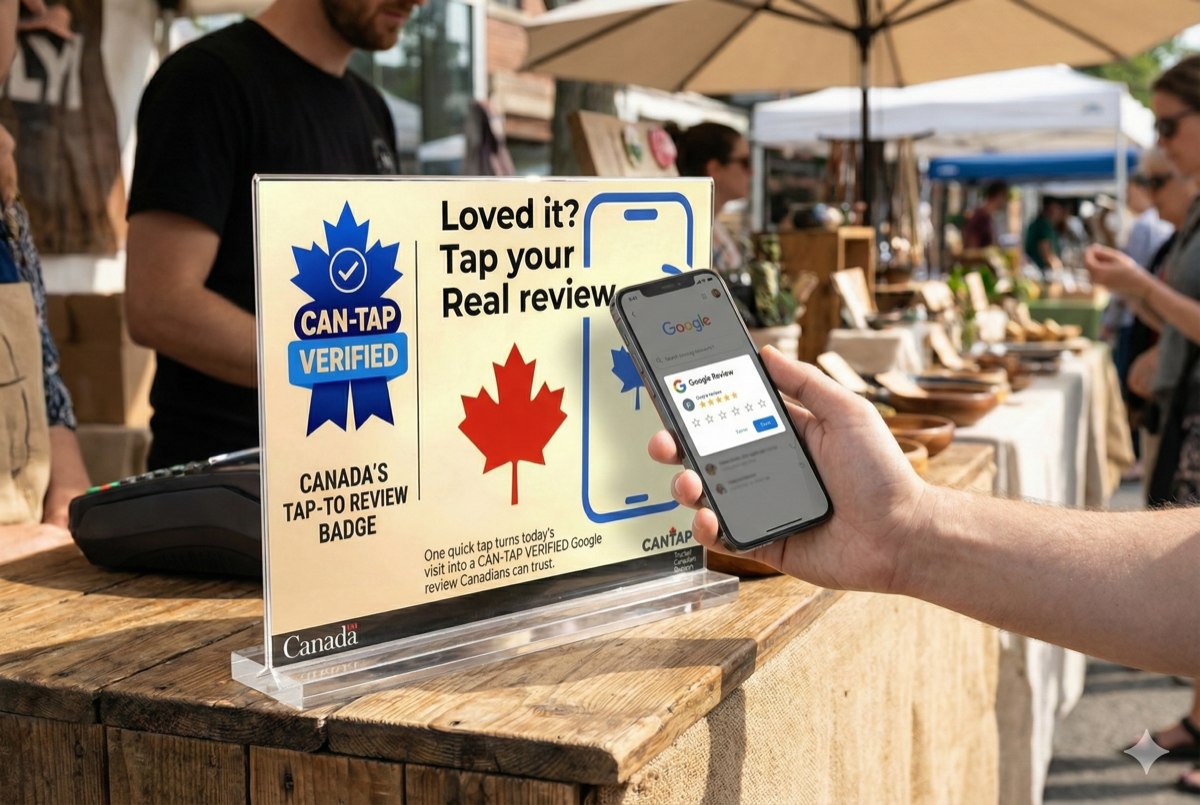
A Google Reviews tap tag is an NFC chip programmed with your Google Business Profile review link. When a customer taps their smartphone on the tag, your review page opens instantly — no app required. It works with iPhone 7 and newer, and all modern Android phones.

How much does a Google review tap tag cost?

Pre-programmed Google review tap tags start at $24.99 CAD for a single disc. Multi-packs with cards and counter stands range from $49 to $129.99 CAD. Blank NTAG215 chips can be purchased for as low as $1-2 each, but require manual programming.

Do customers need an app to use an NFC review tag?

No. Modern smartphones (iPhone 7+, most Android phones from 2018+) read NFC tags natively. The customer simply taps their phone on the tag and the review page opens in their default browser.

Is it against Google's policy to use NFC tap tags for reviews?

No. Google encourages businesses to ask customers for reviews. NFC tap tags simply make it easier for customers to find your review page. They do not create fake reviews — each review still requires the customer to write and submit their own feedback from their own Google account.

What type of NFC chip should I use?

NTAG215 is the recommended chip. It has 504 bytes of memory (plenty for a URL), is compatible with both iPhone and Android, and is affordable. NTAG216 (888 bytes) also works well. Avoid NTAG213 as it only has 144 bytes.

How long do NFC review tags last?

NFC chips have no battery and no moving parts. CAN-TAP Verified tags use 3M adhesive rated for -40°C to +60°C and are backed by a 7-Year Guarantee. The chips themselves can be rewritten up to 100,000 times.

Can I change the review link later?

Yes. Open NFC Tools, write a new URL to the same tag. It overwrites the old link. Unless you've locked the tag (which is optional), it can be reprogrammed at any time.

Ready to Get More Reviews?

Made in Canada. 3M materials. 7-Year Guarantee. Ships from Niagara.

Shop All Review Kits →